
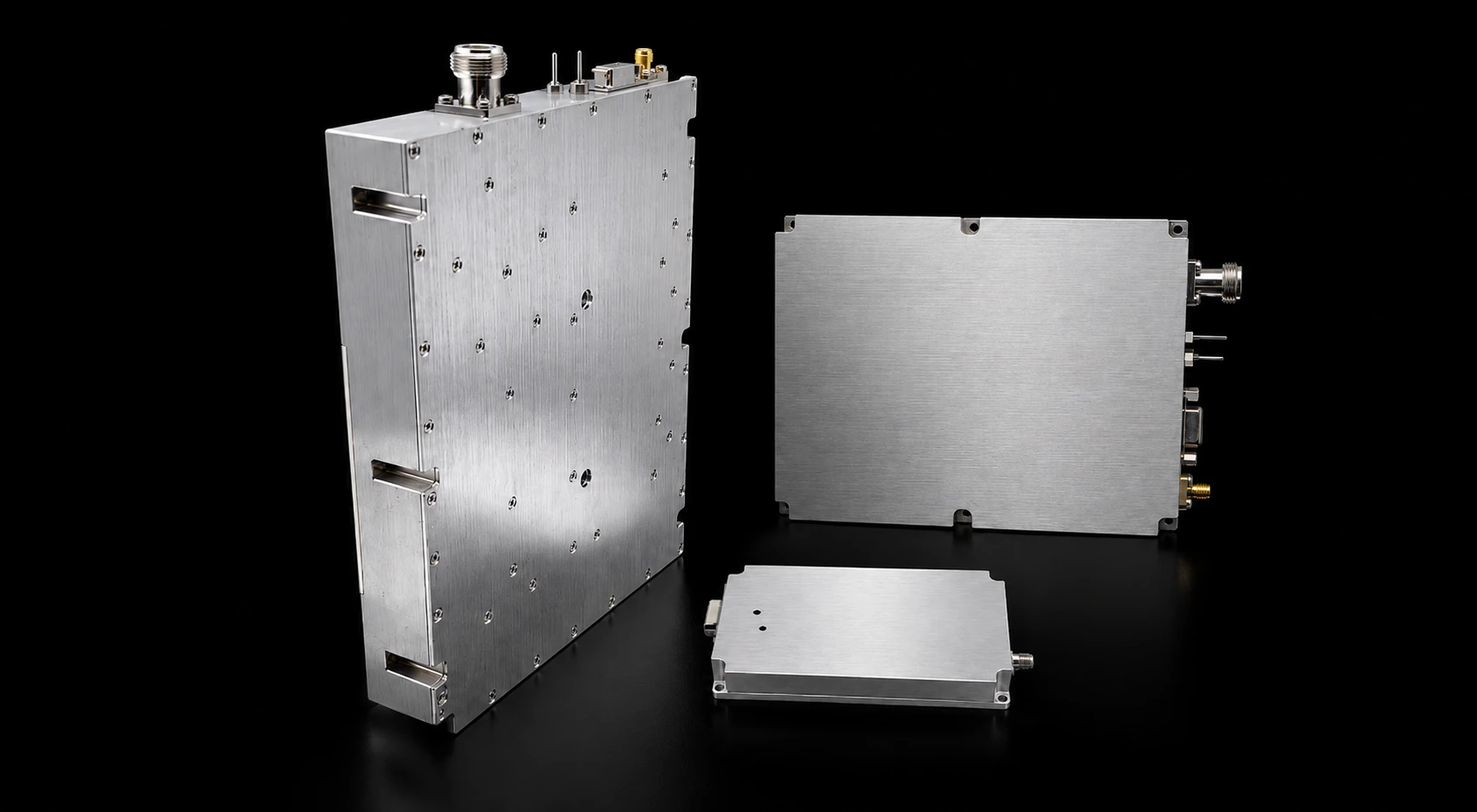
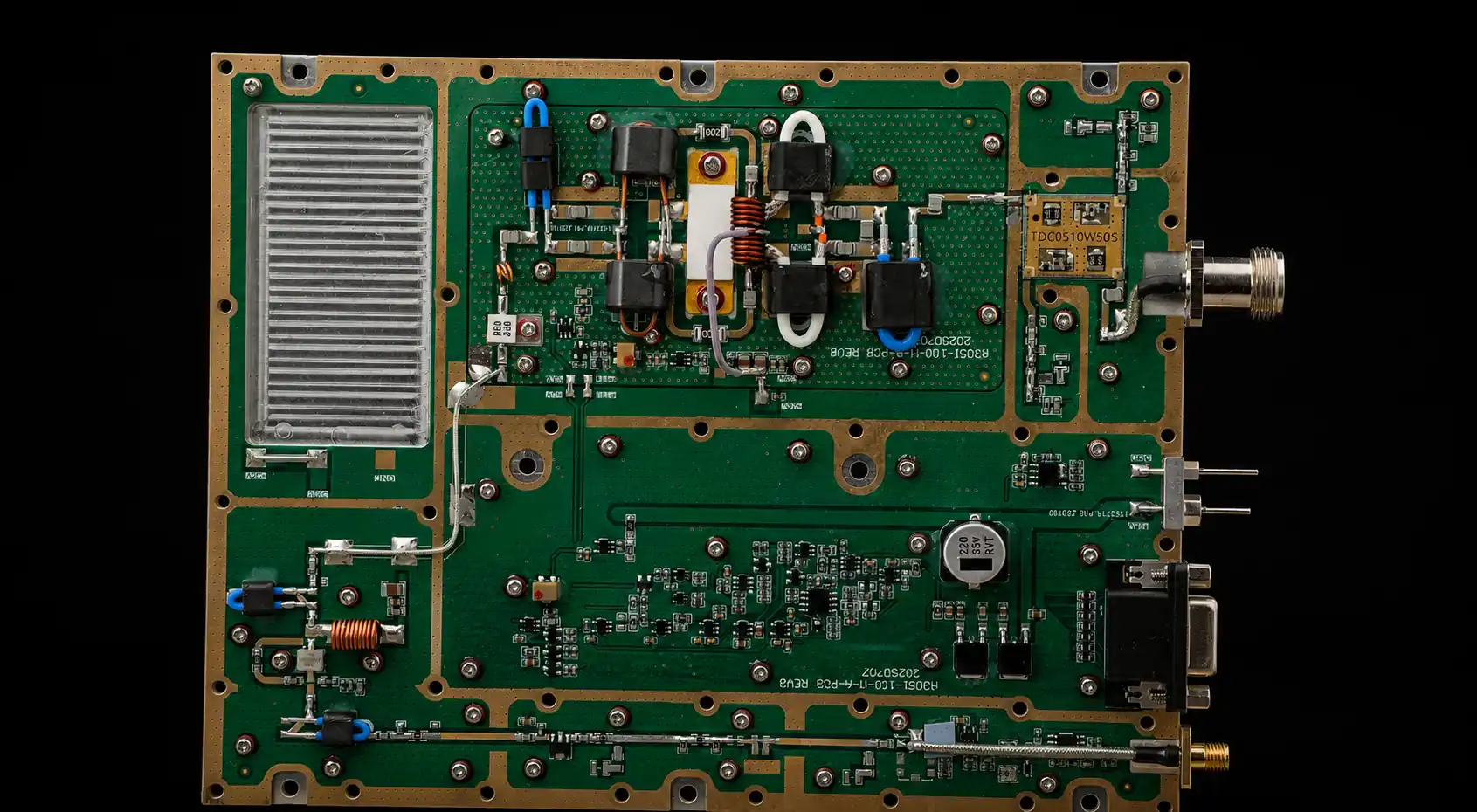
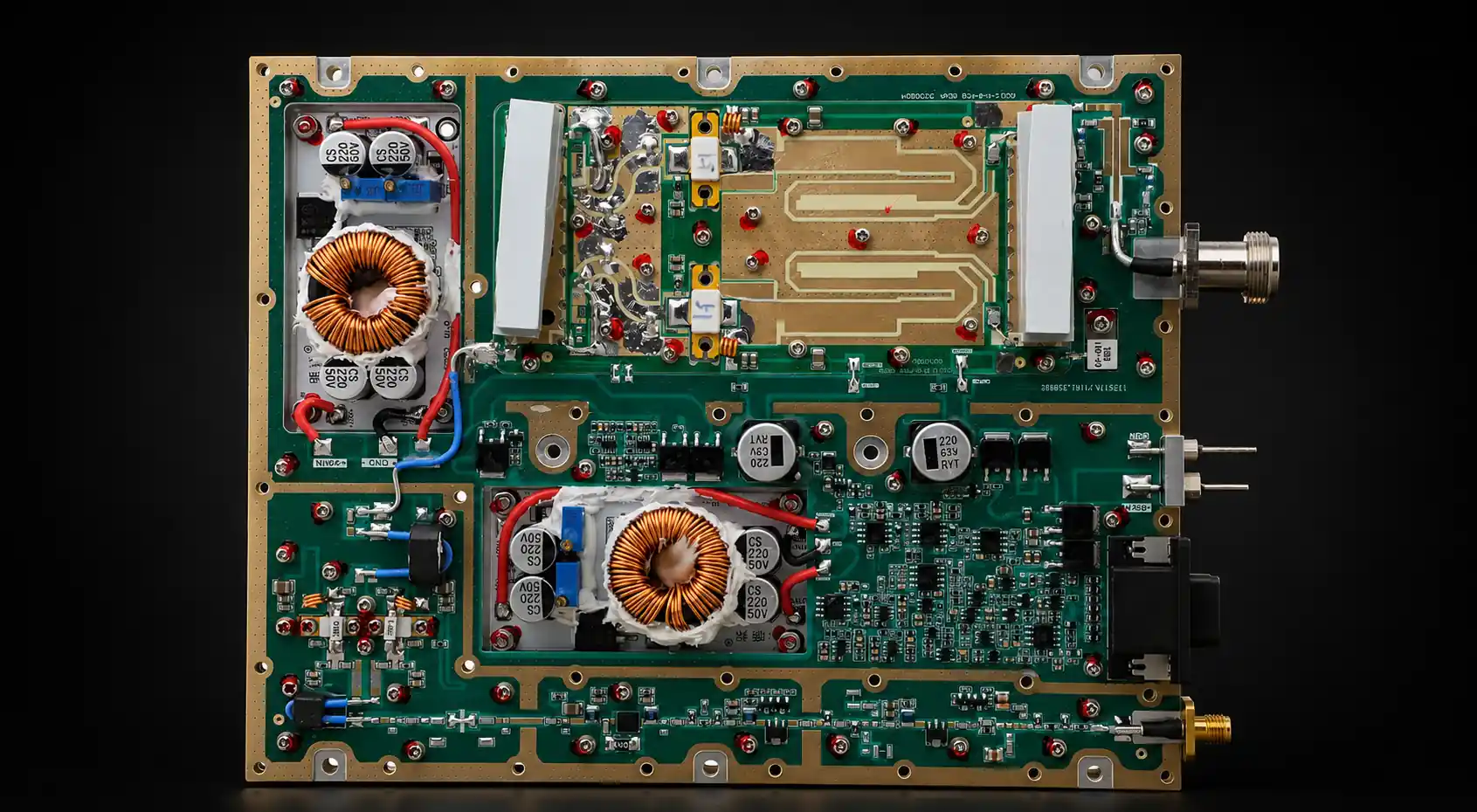
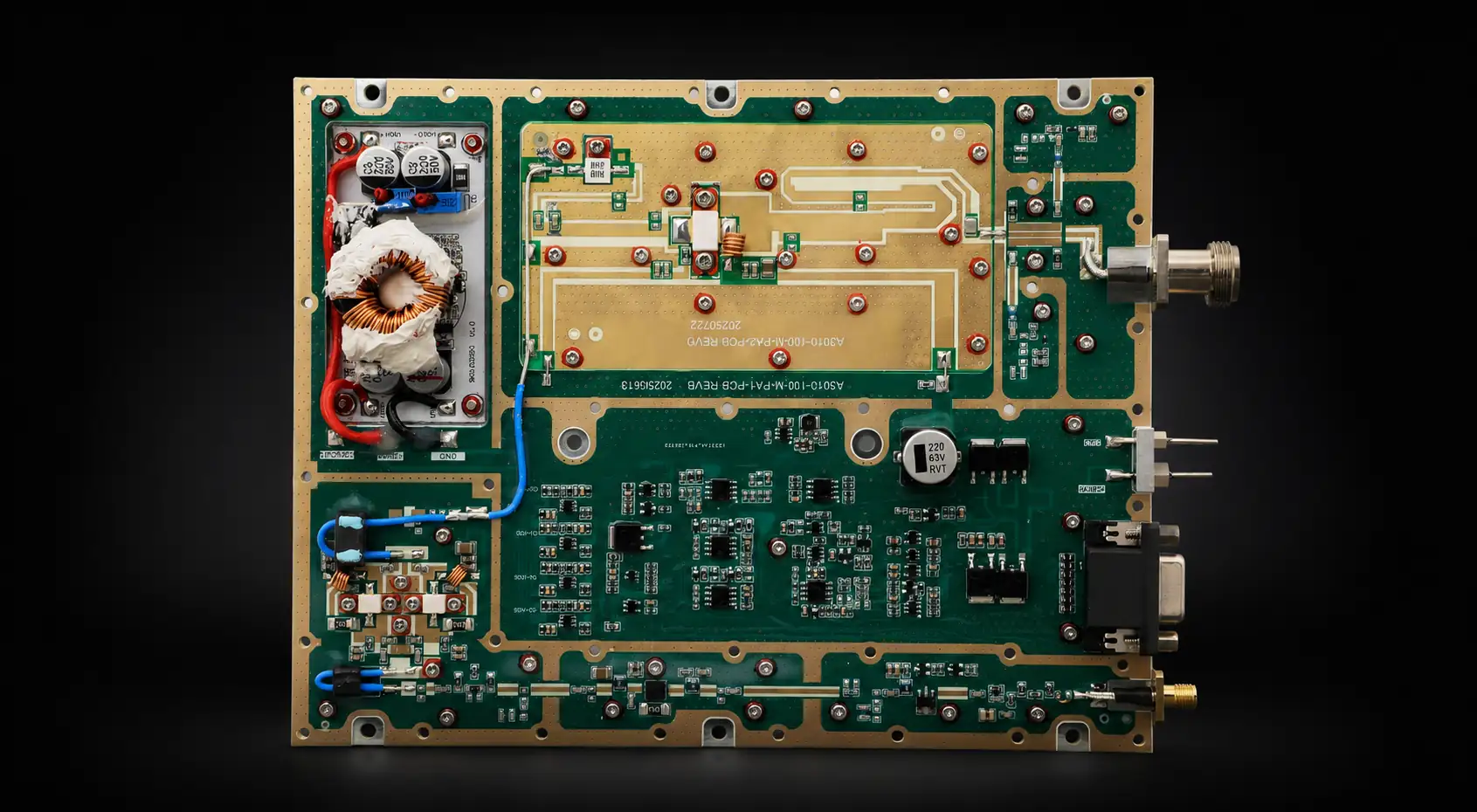

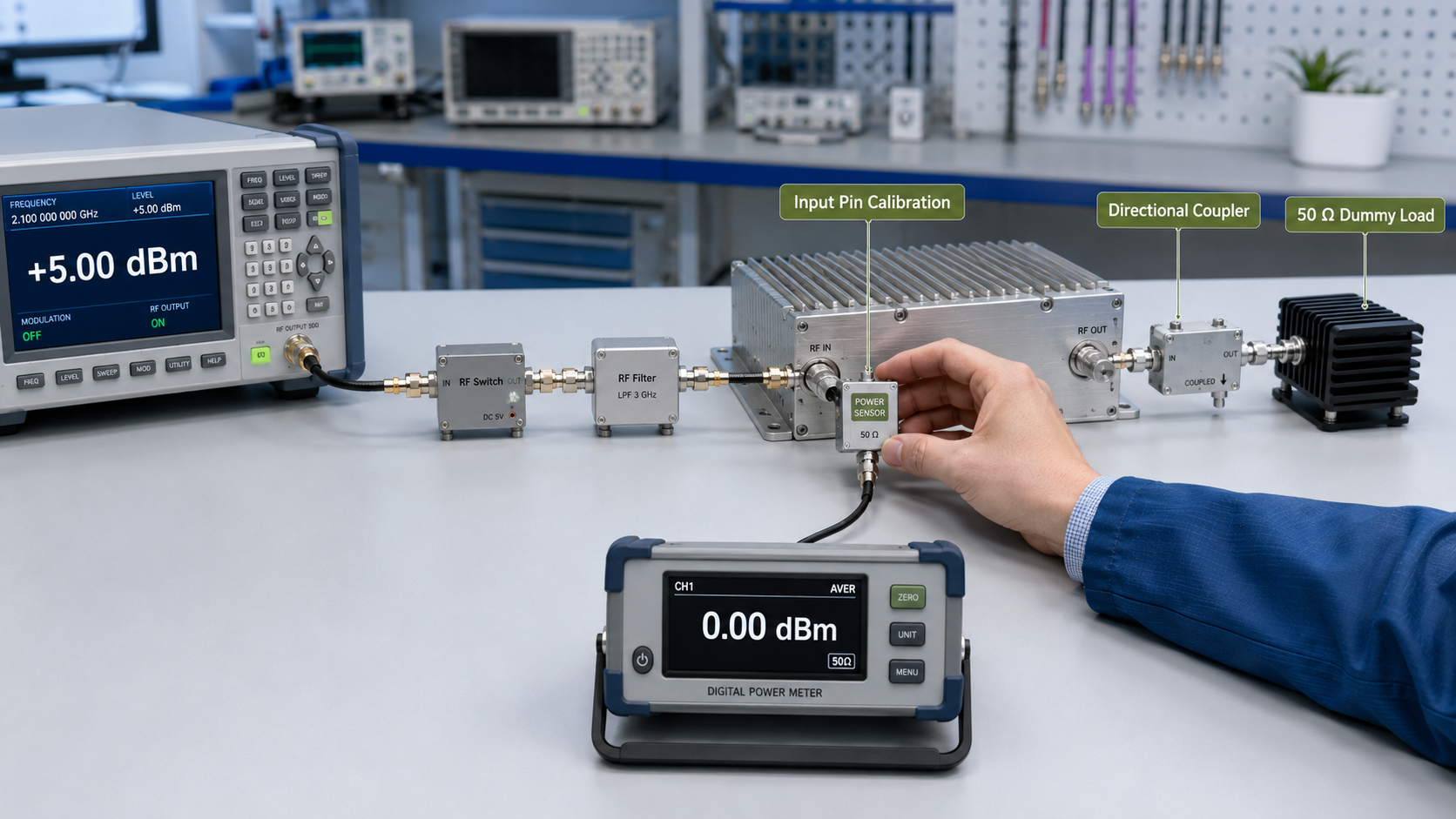
RF PA input power errors can make a healthy amplifier look weak, unstable, or inconsistent. The signal generator may show the expected setting while cables, attenuators, switches, filters, adapters, or driver stages change the actual Pin arriving at the PA input connector.
Too little drive can prevent the module from reaching target output. Too much drive can push it into compression, increase current and heat, distort the spectrum, or trigger protection. Neither result proves the amplifier’s normal operating capability.
Before approving RF Power Amplifier Modules, define the PA input reference plane, calibrate the complete source path, and record Pin together with Pout, frequency, gain, duty cycle, load, DC condition, and temperature. The goal is not to find the highest watt reading. It is to prove a repeatable input-to-output operating window.
1. What RF PA Input Power Actually Means
RF PA input power is the RF signal level delivered to the amplifier input connector. It is normally expressed in dBm.
It is not:
- The DC power supplied to the amplifier
- The wattage rating of the RF output
- The signal generator’s front-panel setting
- The SDR software amplitude setting
- The output of a driver stage before path loss
- The power measured at an undefined point in the source chain
The input reference plane matters because every component between the signal source and the PA changes the delivered drive level.
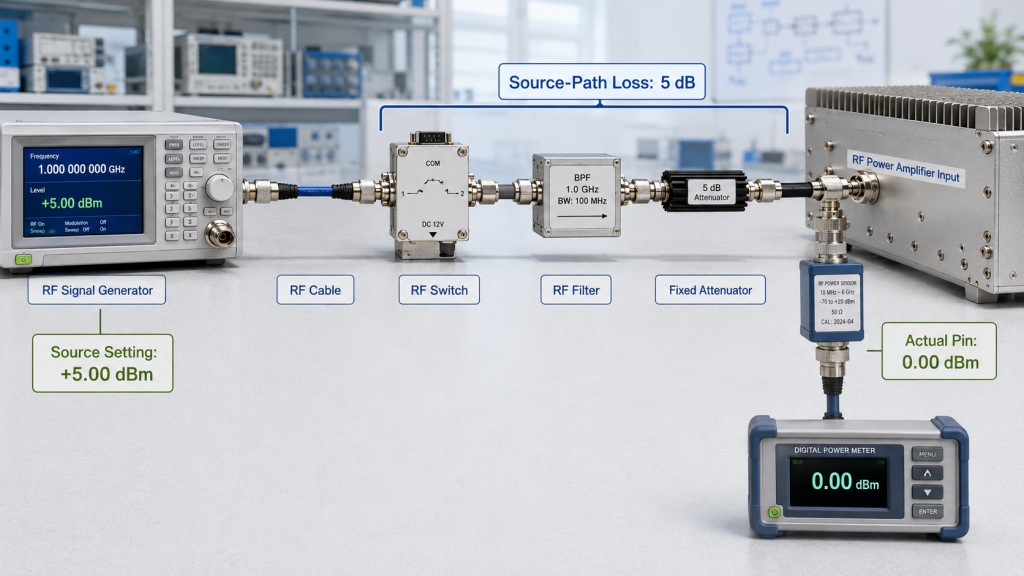
A signal generator may be set to +5 dBm, but the PA may receive only 0 dBm after cable, switch, filter, and attenuator losses. An active driver can create the opposite problem by increasing the level beyond the intended input window.
This distinction affects every result calculated from Pin.
RF power gain is normally calculated as:
Gain (dB) = Pout (dBm) − Pin (dBm)
If Pin is wrong by 2 dB, the calculated gain is also wrong by 2 dB.
The same error can affect conclusions about:
- Rated output
- Gain variation
- Gain flatness
- Compression
- Power-added efficiency
- Current consumption
- Thermal behavior
- Protection thresholds
- Unit-to-unit consistency
For example, suppose a PA produces 50 dBm of output.
If the actual Pin is 0 dBm, the measured gain is 50 dB.
If the report incorrectly assumes Pin was +3 dBm, the calculated gain becomes 47 dB. The amplifier has not changed, but the reported result now looks 3 dB worse.
Input power is therefore not a minor setup detail. It is one of the reference values that determines whether the complete test conclusion is valid.
2. How to Define the PA Input Reference Plane
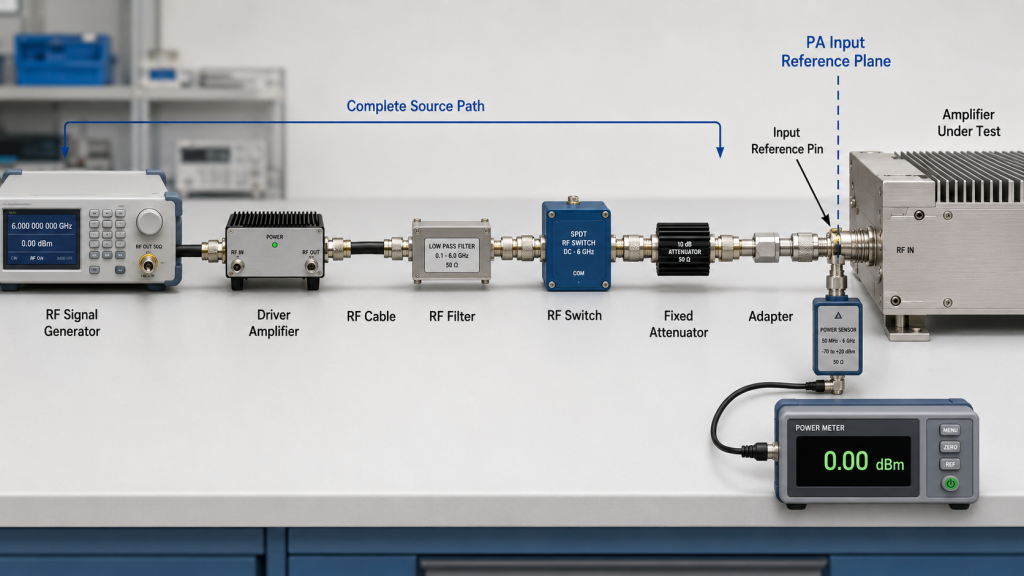
The PA input reference plane should normally be the amplifier’s RF input connector.
This creates a clear boundary:
- Everything before the connector belongs to the source path
- Everything after the connector belongs to the amplifier under test
The source path may include:
- RF signal generator or SDR
- One or more driver amplifiers
- RF cable
- Fixed or variable attenuator
- Filter
- RF switch
- Splitter or combiner
- Adapters and connectors
- Directional coupler
- Monitoring equipment
Each component can change the signal level. Some gains and losses also vary with frequency, temperature, connector condition, or switch path.
For a linear source chain, the first planning estimate is:
Actual Pin at the PA input = source output + total source-path gain − total source-path loss
Total source-path gain includes every active driver stage before the PA.
Total source-path loss should include:
- Cable loss
- Filter insertion loss
- RF switch loss
- Attenuator value
- Adapter loss
- Connector transitions
For example:
- Source output: +5.0 dBm
- Cable loss: 0.8 dB
- RF switch loss: 1.2 dB
- Fixed attenuator: 3.0 dB
The estimated Pin becomes:
+5.0 − 0.8 − 1.2 − 3.0 = 0.0 dBm
If an active driver adds 10 dB of gain before this path, the estimated Pin becomes:
+5.0 + 10.0 − 0.8 − 1.2 − 3.0 = +10.0 dBm
That difference may move the amplifier from underdrive into compression.
Measure or calibrate the complete source path
Nominal component values are useful for planning. Acceptance testing should either measure the signal directly at the PA input reference plane or calibrate the complete source path to that connector.
A direct measurement can be performed before connecting the PA, provided the instrument can safely accept the expected level. The source chain should be assembled in the same configuration used during the amplifier test.
For a calibrated setup, apply the measured gain and loss corrections at each test frequency. Do not correct only the cable while ignoring the filter, switch, attenuator, adapter, connector, or driver-stage variation.
For SDR-based systems, software amplitude is not the final RF reference. The output of an SDR Signal Source Module should be measured or calibrated through the complete source path before it is treated as PA input power.
Keep the reference plane unchanged
The reference plane and correction method should remain unchanged between:
- Sample approval and batch testing
- Cold-state and stabilized testing
- Low-, center-, and high-frequency checks
- Supplier and customer retests
- Different units in the same batch
Changing a cable, adapter, switch port, attenuator, or calibration method can change the delivered Pin.
Where adapters are unavoidable, control both insertion loss and connection repeatability. Separate checks for RF adapter loss and repeatability help prevent setup changes from being mistaken for amplifier variation.
3. What Underdrive and Overdrive Do to Test Results
An RF amplifier should be tested within a defined input-drive window.
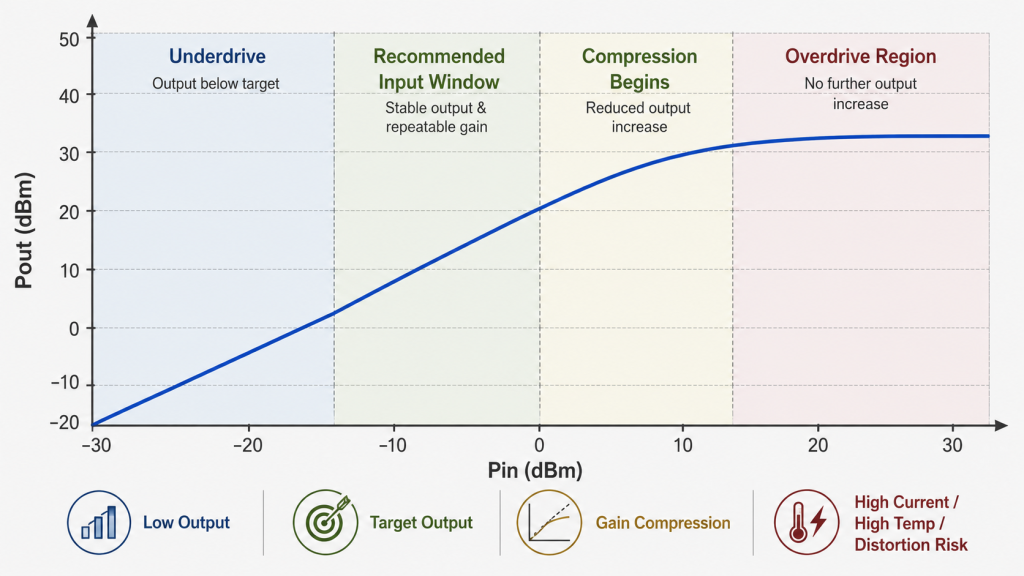
Too little drive and too much drive create different problems, but both can produce an invalid conclusion.
| Drive Condition | Typical Pout Result | Gain or Compression | Electrical Behavior | Main Test Risk |
|---|---|---|---|---|
| Underdrive | Below target | PA may remain linear | Lower current and heat | Healthy PA looks weak |
| Recommended input window | Stable target output | Repeatable usable gain | Expected current and temperature | Valid approval basis |
| Near compression | Output rises less than expected | Gain begins to fall | Current and heat may increase | Operating margin is overstated |
| Overdrive | Saturated or unstable output | Strong compression or distortion | Protection may activate | High wattage looks falsely attractive |
Underdrive can create a false failure
A module may fail to reach rated output because the delivered Pin is too low.
Assume the intended operating point is:
- Pin: 0 dBm
- Gain: 50 dB
- Expected Pout: 50 dBm
If the real Pin is −3 dBm because of uncorrected path loss, a linear response may produce approximately 47 dBm.
That is about 50 W rather than 100 W.
The module may be functioning correctly, but the test result appears 3 dB low.
Common underdrive symptoms include:
- Output remains below target
- Current is lower than expected
- Case temperature stays unusually low
- Increasing Pin produces a proportional Pout increase
- No compression or protection event appears
- A shorter or recalibrated source path improves output
Before rejecting the PA, confirm the actual input level at the PA connector.
Do not compensate for unknown loss by increasing the source setting without measurement. That may correct one frequency point while overdriving another.
Overdrive can create a false pass
Excessive drive can produce an attractive power reading while hiding an invalid operating point.
As Pin increases, the amplifier eventually approaches compression. Pout still rises, but no longer by the same amount.
For example:
- A 1 dB increase in Pin may produce only 0.3 dB more Pout
- Calculated gain begins to fall
- Current and case temperature may rise
- Harmonic or adjacent-channel content may increase
- Protection may activate
- Output may become less repeatable after warm-up
For modulated signals, overdrive should also be checked against the required spectral mask or modulation-quality limit.
A brief maximum-power reading near saturation does not prove a stable rated-output condition.
The report should distinguish between:
- Linear operating gain
- Rated-output gain
- Compressed output
- Saturated output
- Protection-limited output
These are not interchangeable.
The recommended input window should produce the required output without relying on uncontrolled saturation or repeated protection intervention.
4. How to Read Pin, Pout, Gain, and Compression Together
Pin and Pout should not be reviewed as isolated numbers.
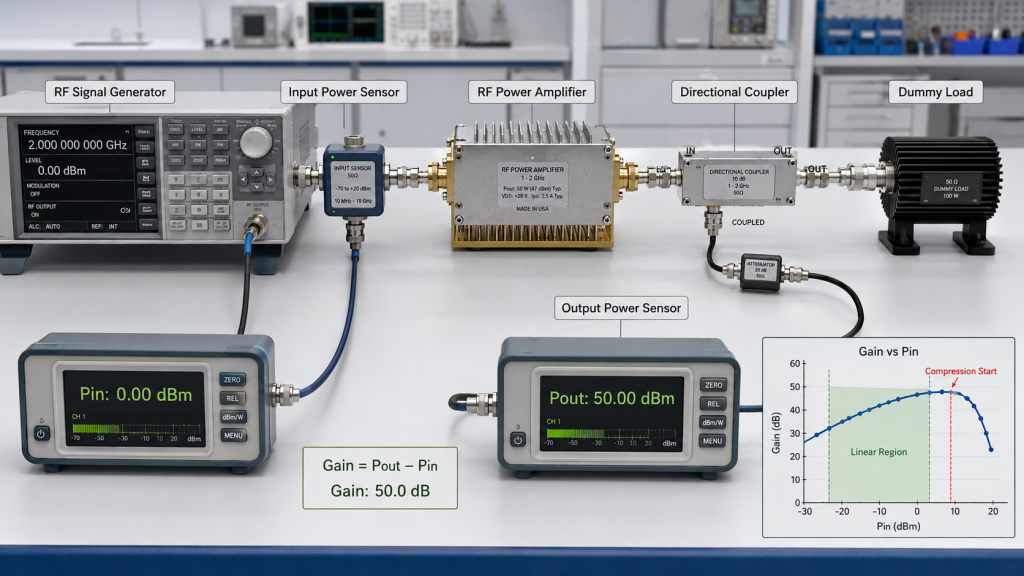
A stronger test record evaluates four values together:
- Actual Pin at the PA connector
- Pout at the defined output reference plane
- Calculated gain
- Change in gain as Pin increases
Start with:
Gain = Pout − Pin
Then compare multiple input levels.
| Pin | Pout | Calculated Gain | Interpretation |
|---|---|---|---|
| −3 dBm | 47 dBm | 50 dB | Linear operating point |
| 0 dBm | 50 dBm | 50 dB | Linear target output |
| +1 dBm | 50.7 dBm | 49.7 dB | 0.3 dB gain compression begins |
| +3 dBm | 51.2 dBm | 48.2 dB | 1.8 dB gain compression |
The final row has the highest output, but it does not have the highest usable gain or necessarily the best operating margin.
This is why a supplier should not prove the module only with one Pin and one Pout screenshot.
Do not mix small-signal and full-power gain
Small-signal gain is measured where the amplifier remains linear and well below compression.
Full-power gain is calculated at or near the intended rated-output point.
These values may differ.
A report becomes misleading when it:
- Uses small-signal gain to predict compressed output
- Calculates gain from an assumed Pin
- Compares cold-state gain with stabilized output
- Changes input drive at every frequency without stating it
- Measures Pin and Pout at different reference planes
- Omits source-path corrections
Where gain consistency across frequency is important, separate RF PA gain-flatness evidence should state the input condition, output level, frequency points, and thermal state.
Use a controlled Pin sweep when needed
A Pin-to-Pout sweep can identify:
- Linear gain
- Beginning of compression
- Required input for target output
- Overdrive sensitivity
- Protection onset
- Differences between frequency points
The sweep does not need to continue beyond the specified safe input limit. For high-power testing, increase the source level in controlled steps rather than applying an unknown maximum setting immediately.
5. How to Verify Input Drive Across Frequency and Operating Time
A source setting that works at one frequency may not produce the same Pin across the complete band.
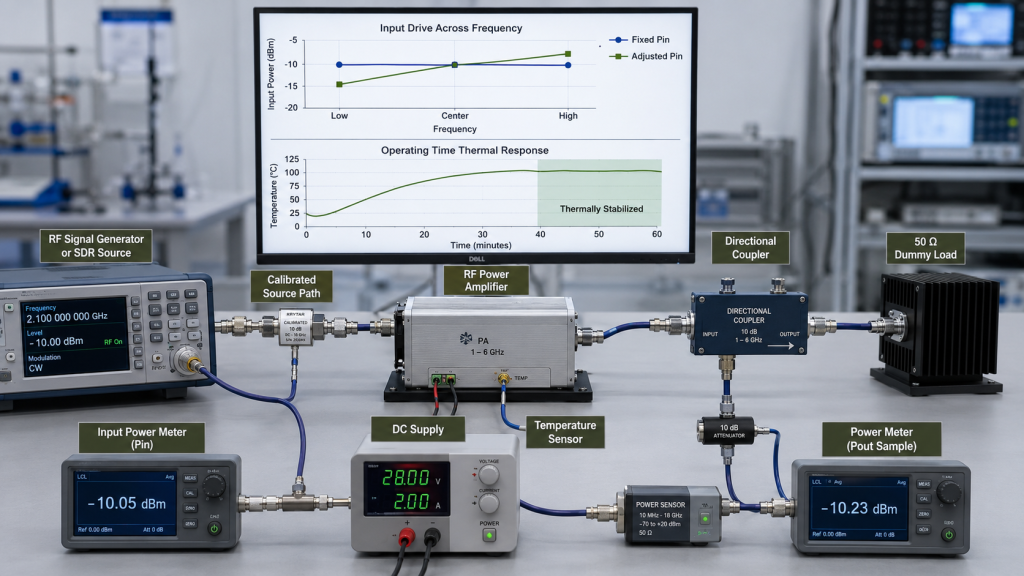
Frequency-dependent changes can come from:
- SDR or signal-generator output flatness
- Driver-stage gain
- Cable loss
- Filter insertion loss
- Switch loss
- Adapter behavior
- PA input matching
This creates two different test methods.
Fixed-drive testing
Pin is held at the same calibrated value for every frequency point.
This method shows how the amplifier responds to a consistent input level across the required band.
It is useful for evaluating:
- Gain versus frequency
- Output variation
- Current variation
- Compression margin
- Band-edge behavior
Adjusted-drive testing
Input drive is changed at each frequency until the PA reaches the target output.
This method shows how much Pin is required to hold a specified Pout.
It is useful for evaluating:
- Required source range
- Driver-stage margin
- Weak frequency points
- System compatibility
- Available control range
Both methods can be valid, but the report must state which one was used.
A table that lists only Pout without the corresponding Pin cannot show whether output flatness came from the PA itself or from continuous drive adjustment.
Projects that require complete band verification should use swept-frequency full-power testing with Pin, Pout, voltage, current, temperature, forward power, reflected power, and protection status recorded at defined frequency points.
Confirm the drive window after warm-up
The recommended input window should remain valid after the source chain and PA reach the required thermal state.
Record whether the data represents:
- Cold start
- Stabilized operation
- Intermittent duty
- High-duty operation
- True CW operation
Do not increase Pin automatically to compensate for output drift. First determine whether the change comes from the source path, PA gain, DC input, cooling, RF load, or protection state.
6. What Input-Drive Evidence Belongs in RFQ and Acceptance
Input-drive requirements should be defined before sample approval.
A weak RFQ may state only:
- Frequency range
- Required wattage
That is not enough to determine whether the source can drive the PA correctly or whether the supplier’s test can be repeated.
The RFQ should state:
- Required frequency points
- Required PA-port output
- Available signal-source output
- Source-path gain
- Expected source-path loss
- Required Pin at the PA connector
- Maximum safe input
- Fixed-drive or adjusted-drive method
- Input and output reference planes
- Signal type or waveform
- Duty cycle
- Test duration
- Cooling condition
- DC supply at the module terminals
- Load or VSWR boundary
- Required test-report format
RF PA Input-Drive Acceptance Checklist
- Module model
- Module serial number
- Source model
- Source output setting
- Driver model and gain
- RF cable details
- Filter and RF switch path
- Attenuator value
- Adapter configuration
- Calibration frequency
- Calibration reference plane
- Total source-path gain
- Total source-path loss
- Actual Pin at the PA input
- Pout reference plane
- Pout at required frequencies
- Calculated full-power gain
- Fixed-drive or adjusted-drive method
- Compression indication
- DC voltage at the PA terminals
- DC current
- Duty cycle
- Test duration
- Load and VSWR condition
- Temperature state
- Alarm or protection status
- Test equipment
- Pass criteria
A strong report connects every Pin and Pout value to the same:
- Module serial number
- Frequency
- Reference plane
- Test setup
- Correction method
- Operating condition
This allows the customer to repeat the test without guessing how the supplier created the original result.
FAQ
Where should RF PA input power be measured?
The preferred reference plane is the PA input connector. Input power can be measured directly at that point before connecting the amplifier, or calculated through a calibrated source path with all active-stage gains and component losses included.
How can I tell whether low output is caused by underdrive?
Measure the actual Pin at the PA connector and increase it in controlled steps within the specified safe range. If Pout rises proportionally while current and temperature remain below the expected full-power condition, the original setup may have been underdriving the amplifier.
Can one input-drive setting be used across a wideband PA?
It can be used for a fixed-drive test, but the actual Pin must still be verified across frequency. Source output, cable loss, switch loss, filters, drivers, and PA input matching may all vary with frequency. An adjusted-drive test is different and should be identified clearly in the report.
Conclusion
RF PA input power should never be inferred from a source setting alone. The valid value is the RF level delivered at the defined PA input reference plane after all source-path gains and losses are considered.
Underdrive can make a healthy amplifier look weak. Overdrive can create a brief but misleading high-power result. Reliable approval requires Pin, Pout, gain, compression, frequency, DC condition, load, operating time, and temperature to be reviewed together.
RF SKYPOWER can review the source-to-PA boundary before sample approval or production testing. Submit the target frequencies, required PA-port output, available source output, source-path gains and losses, expected Pin, duty cycle, cooling condition, load boundary, and required Pin/Pout report format.
Contact RF Engineering Team to define a repeatable input-drive window before a healthy amplifier is rejected because of a source-path or calibration error.