
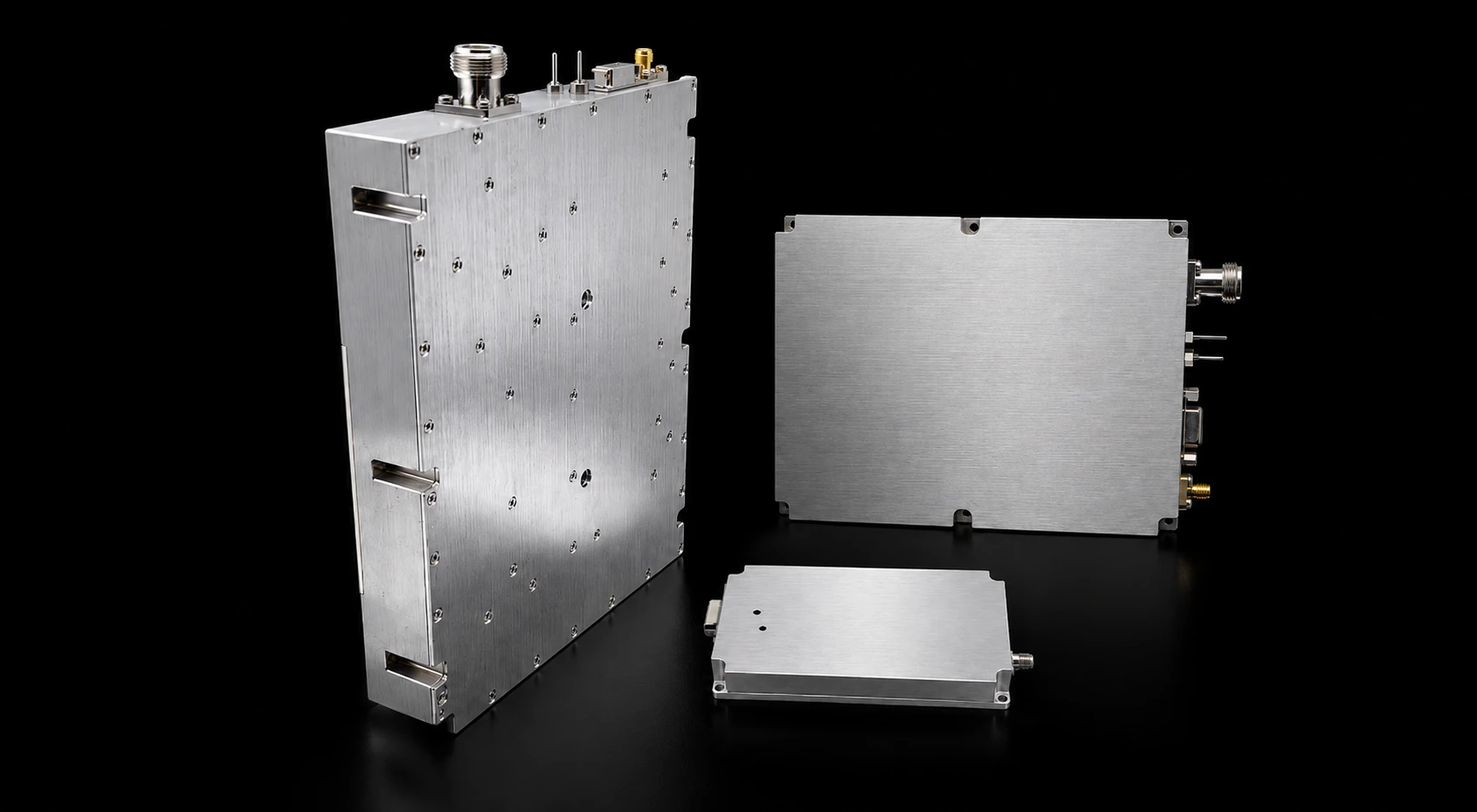
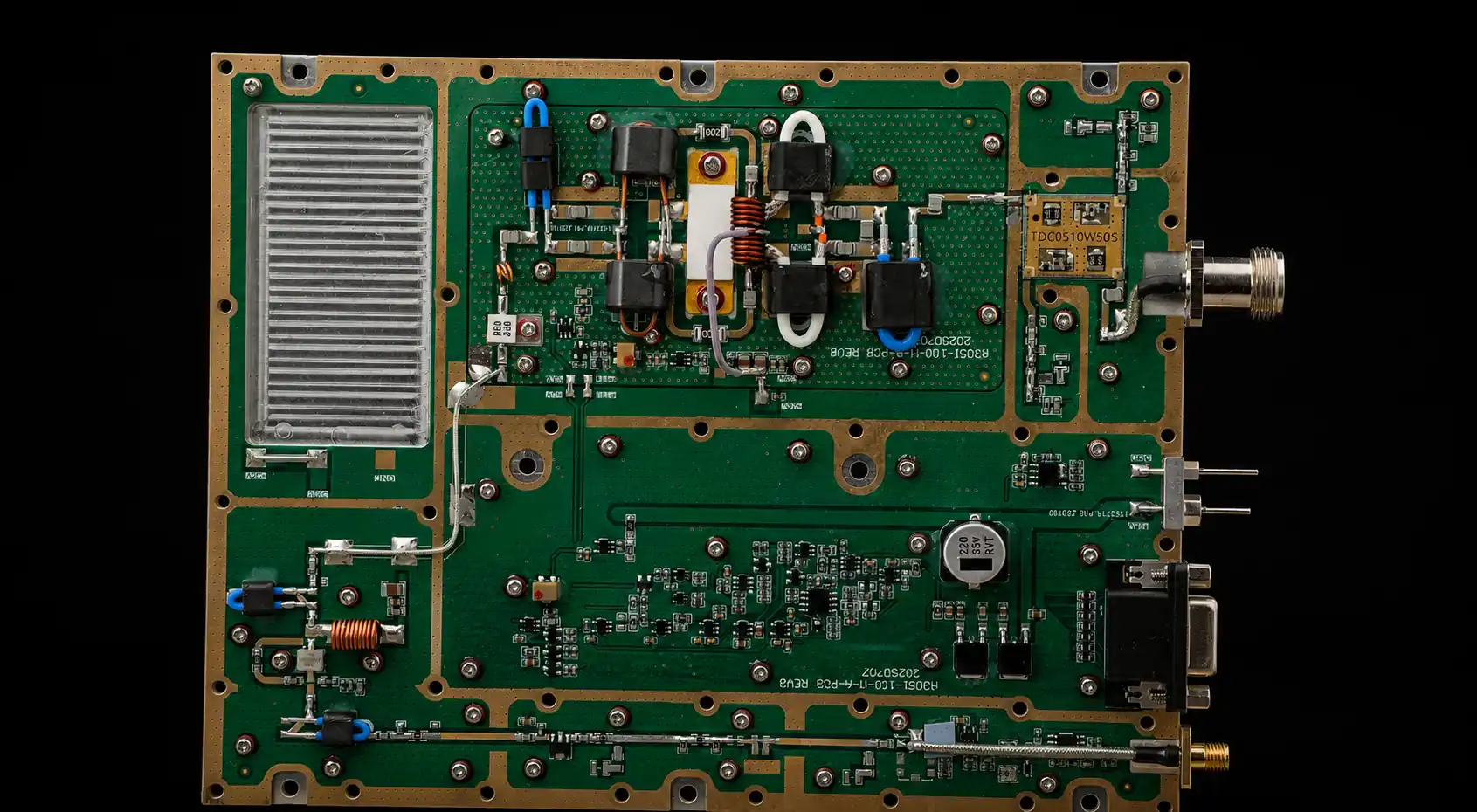
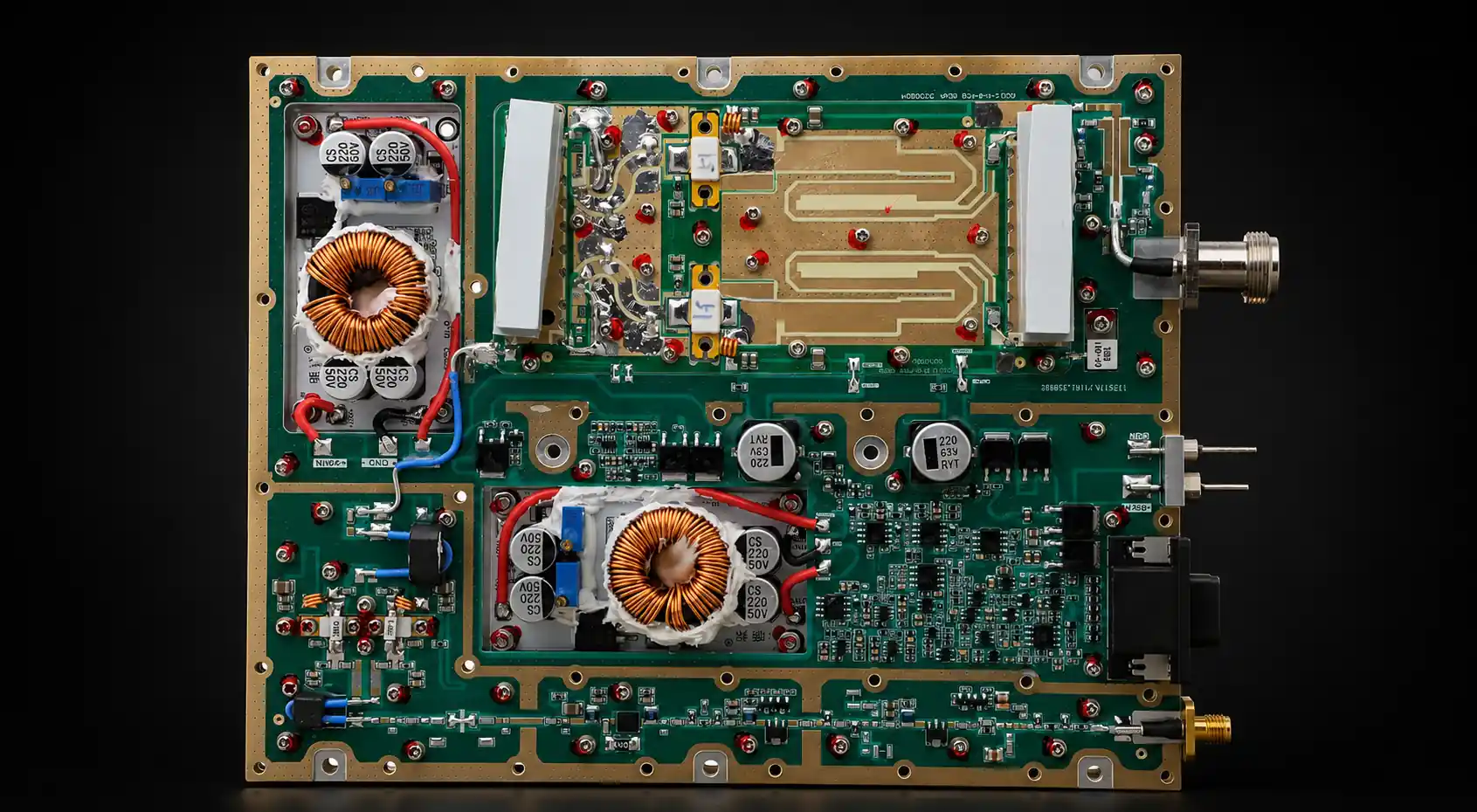
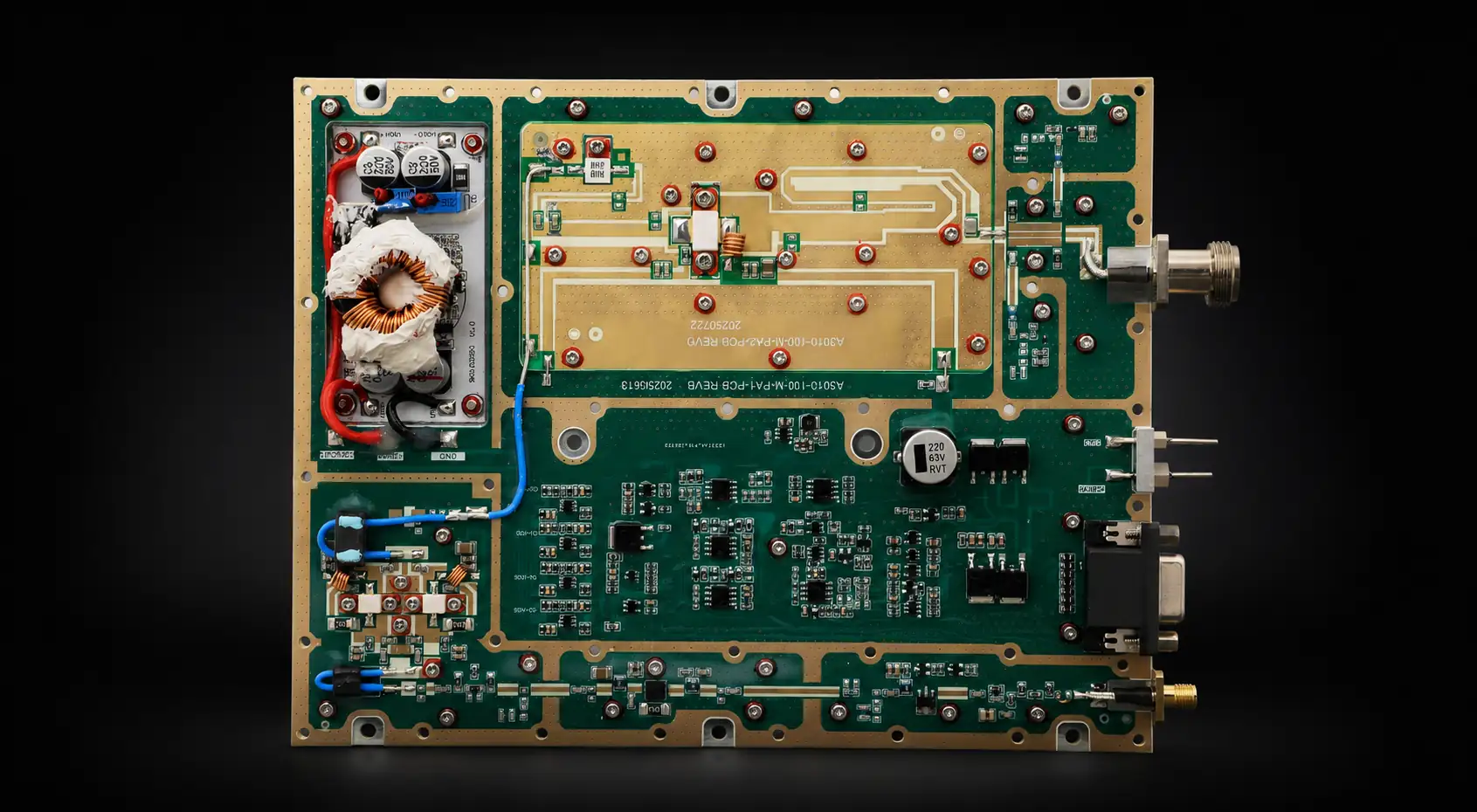


An RF PA control interface should be approved as a defined interface contract, not from connector names, pin labels, or a protocol name alone.
Before integration, the buyer and system integrator should know what control functions exist, where each function is accessed, which direction information flows, what each electrical or digital state means, what the default state is, and which interface or protocol revision the definition applies to.
That interface definition is only the first layer.
It does not decide when RF output should be allowed, what the controller should do after an alarm, how protection should recover, or how command timing should be sequenced. Those are control-logic, enable-logic, protection, status-mapping, and timing decisions that should be evaluated separately.
The purpose of this page is narrower:
define the RF PA interface clearly enough that those downstream control decisions can be made without guessing what the module interface means.
1. What an RF PA Control Interface Must Define Before Integration
An RF PA control interface is the documented boundary between the amplifier module and the system controller.
Depending on the module and project, that boundary may include functions such as:
- Enable;
- Alarm;
- Ready or operating status;
- Forward or reflected-power feedback;
- Voltage, current, or temperature feedback;
- Reset;
- Power or gain adjustment;
- digital communication.
The existence of a function does not fully define its interface.
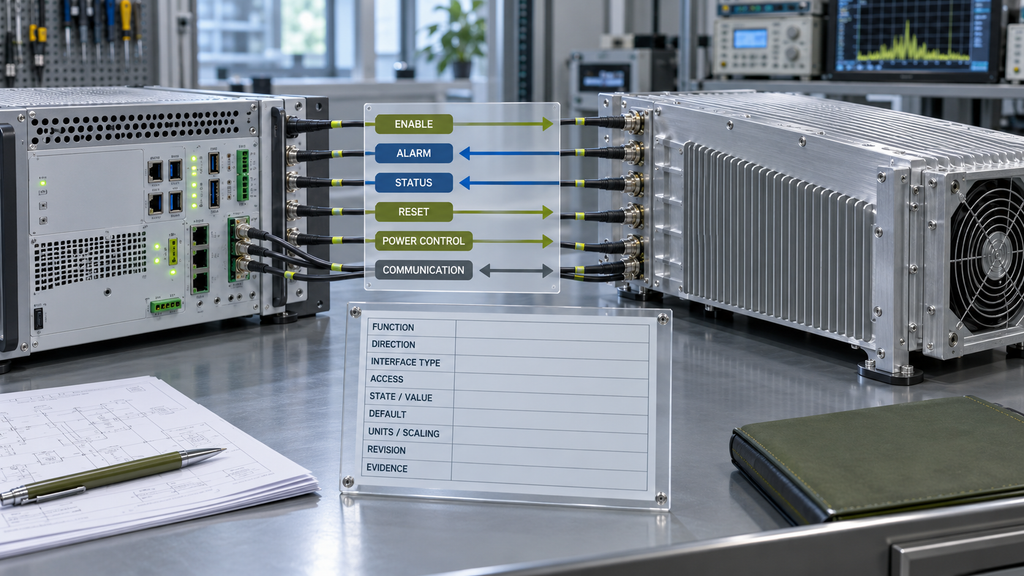
For each required function, the integration team may need to know:
- signal or command name;
- function;
- direction;
- physical or communication interface type;
- connector pin, register, address, or command location;
- electrical or logical meaning;
- active state or valid command value;
- default state;
- readable or writable scope;
- data units or scaling where applicable;
- applicable protocol, firmware, or interface revision;
- evidence supporting the definition.
A statement such as:
“Alarm pin included.”
does not answer whether the alarm is active high or active low, whether multiple fault categories are exposed, or which interface revision the definition represents.
Likewise:
“RS485 supported.”
does not define the address structure, command set, readable values, writable controls, or protocol revision needed by the controller.
The interface should therefore be reviewed as a contract between two systems rather than as a list of available connectors.
2. Build the RF PA Interface Definition Matrix Before Control Logic
A practical interface review starts by putting the required functions into one controlled definition matrix.
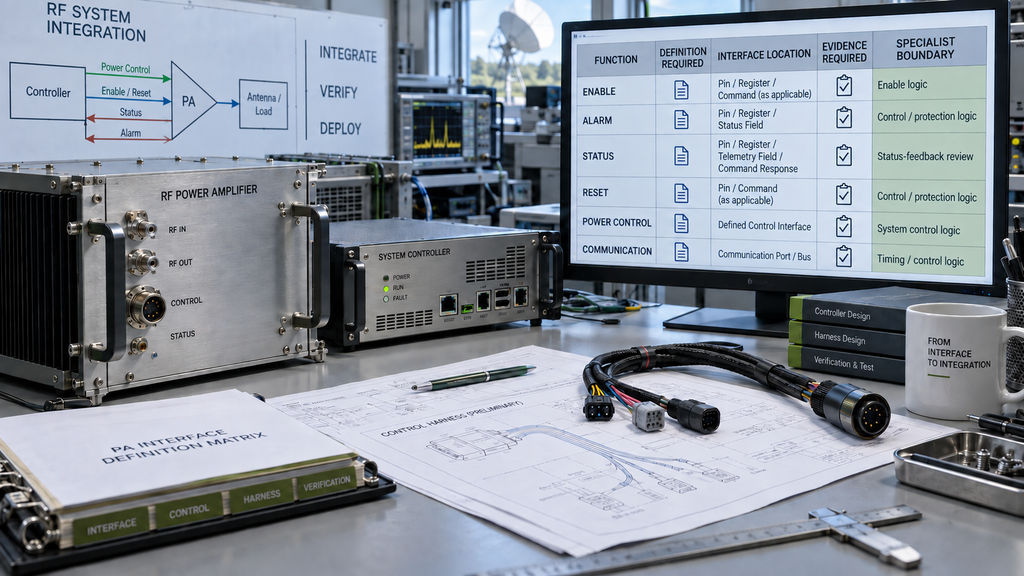
| Interface Function | Definition Required | Interface Location | Evidence Required | Specialist Boundary |
|---|---|---|---|---|
| Enable | Direction, interface type, active state or command value, default state | Pin, register, or command as applicable | Interface definition and controlled verification | Conditions for RF permission belong to enable logic |
| Alarm | Signal source, active state, available fault-category information, exposed latch-state indication if applicable | Pin, register, or status field | Alarm-interface definition | Controller action and recovery belong to control/protection logic |
| Status | Available fields, direction, units or states, available module or channel identity field if exposed by the interface | Pin, register, telemetry field, or command response | Status-field definition | System-state mapping belongs to status-feedback review |
| Reset | Reset interface type, access method, command or signal definition | Pin or command as applicable | Reset-interface definition | Recovery rules belong to control/protection logic |
| Power control | Control method and documented command, register, or analog input definition where applicable | Defined control interface | Power-control definition | When and why output changes belong to system logic |
| Communication | Interface family, address/identity method, command or register scope, revision | Communication port or bus | Protocol / command documentation | Timing, retry, and sequencing belong to timing/control logic |
This matrix performs two jobs.
First, it exposes missing interface information before controller software, harnesses, or acceptance procedures are finalized.
Second, it prevents interface definition from expanding into unrelated system behavior.
For example, the current page may define that an Enable input exists, its location, its active state, and its default state.
It should not independently decide that RF output may start only after a particular combination of DC, RF-path, cooling, or protection conditions has been satisfied. That is a system permission rule.
The same boundary applies to Alarm.
The interface contract should define what alarm information is exposed. The system logic determines what action follows when that information appears.
3. Separate Interface Definition from System Control Logic
Interface definition and control logic answer different engineering questions.
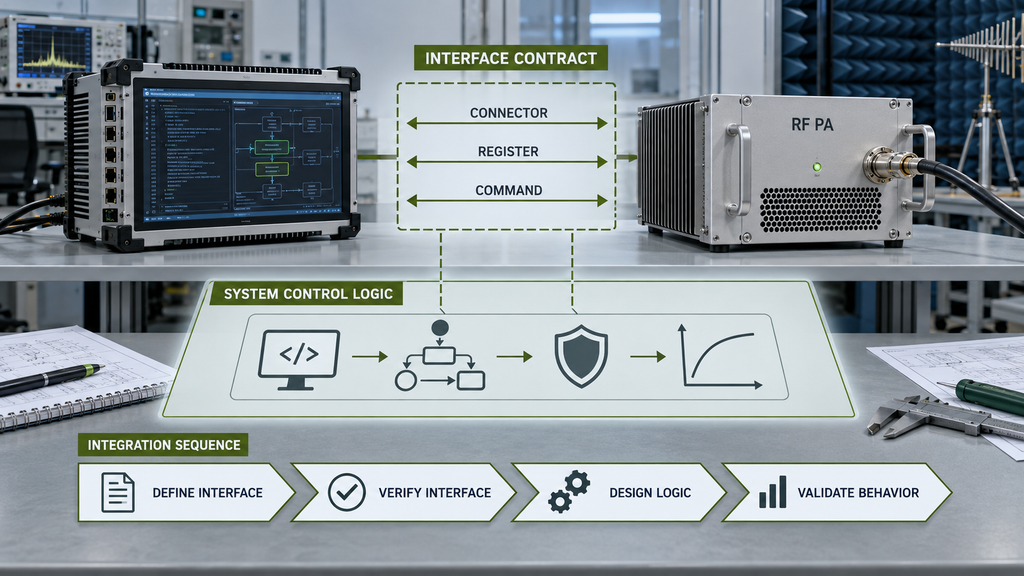
The interface contract asks:
What exists, where is it, and what does it mean?
Examples include:
- Is Enable a hardware input or a software command?
- What state represents an asserted input?
- Which pin or register carries the signal?
- Which status fields can be read?
- What units or values do those fields represent?
- Which protocol or interface revision applies?
Control logic asks:
What should the complete system do with that interface?
Examples include:
- When is RF output allowed?
- Which system conditions block Enable?
- What does the controller do after an alarm?
- Which fault permits automatic recovery?
- When must RF remain disabled?
- What happens after communication loss?
Those decisions are related to the interface, but they are not interchangeable.
A complete pinout with undefined system behavior can still delay integration.
A detailed control algorithm built on an ambiguous pinout or register map is equally risky.
The correct sequence is:
define the interface → verify the definition → design the system logic → validate the resulting behavior.
This also creates a clearer ownership boundary when several engineering teams are involved.
The PA supplier can document the module interface.
The integrator can use that information to design RF PA control logic after the interface definition is verified.
The buyer can define which interface evidence must be available before RFQ or acceptance.
4. What Enable, Alarm, Status, Reset, and Power-Control Interfaces Must Document
The definition matrix gives the overall interface structure. The following checks focus only on fields that are easy to misinterpret during integration.
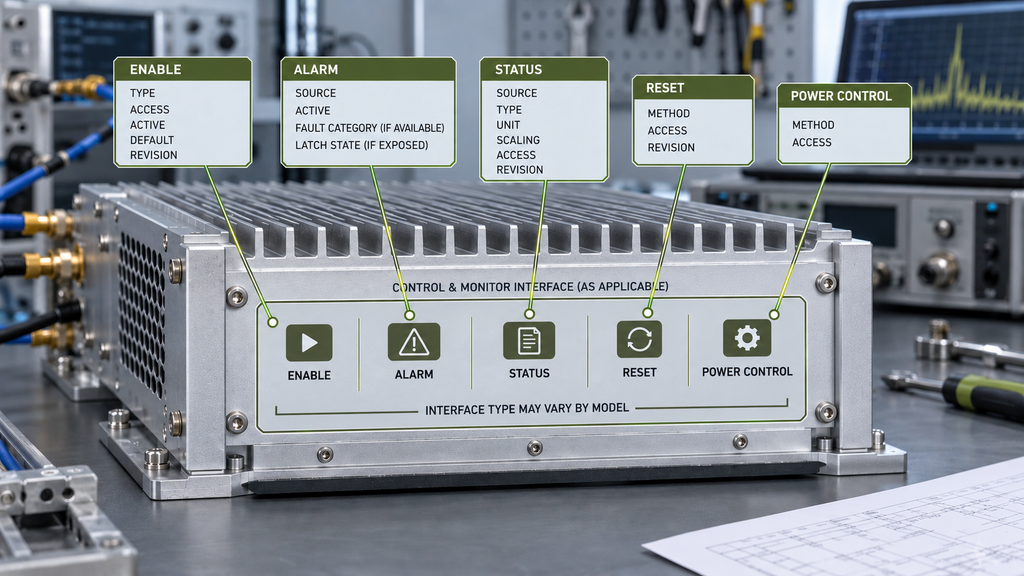
Enable interface
Document the interface type, access location, active level or command value, default state, and applicable revision.
If the interface exposes a state indicating that an Enable command or signal has been accepted, document that state as well.
This does not define when the complete system should permit RF output. Permission rules belong to the enable/control-logic layer.
Alarm interface
Document the alarm source or status field, active state, available fault-category information, and whether the interface exposes a latch-state indication.
The presence of a latch-state field does not define why a fault should latch, when it should clear, or how recovery should occur; those questions belong to RF PA protection logic validation.Those are protection/control-logic decisions.
Status and telemetry interface
For each required field, document its source, state or data type, unit, scaling, access method, and applicable interface revision.
If the interface exposes a module or channel identity field, define the field itself. Mapping that identity into controller states, logs, or operator actions belongs to RF PA status feedback mapping.
Reset interface
Document whether Reset is accessed through a hardware signal, command, power-cycle requirement, or another defined method, together with its access point and applicable revision.
Automatic recovery, retry, latch-off, or fault-specific reset policy belongs to control/protection logic.
Power-control interface
If adjustable power or gain control is exposed, document the actual control method and its defined access point.
Do not infer that every module supports the same analog input, command, register, attenuation, or gain-control method.
5. What Communication Details Belong in the Interface Contract
A communication label alone is not an integration definition.
Terms such as UART, RS485, CAN, Ethernet, or AT command describe a communication method or family. The controller still needs enough information to implement the specific module interface.
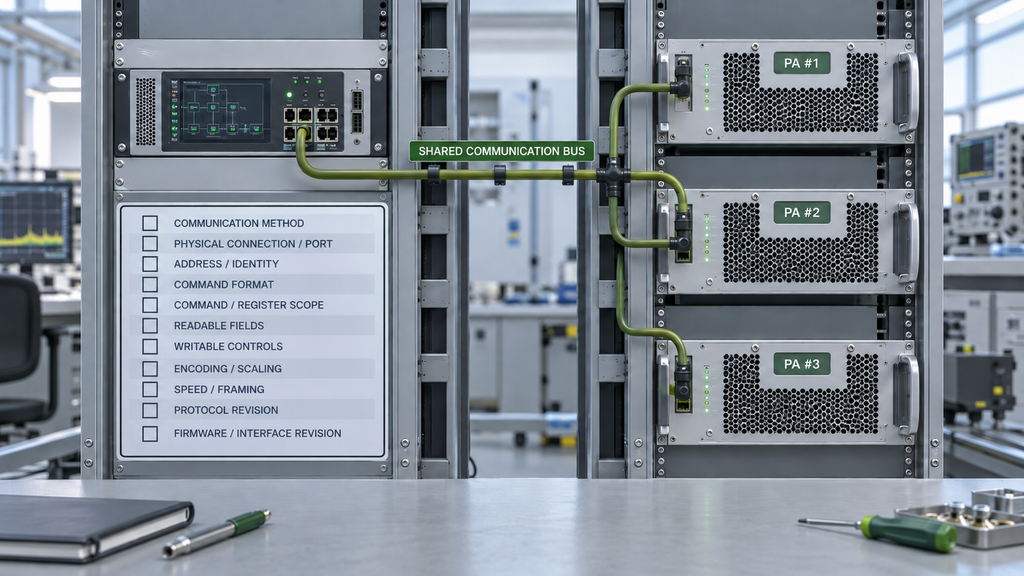
The interface contract may therefore need to define, where applicable:
- communication method;
- physical connection or port;
- module or channel address;
- command format;
- command and register scope;
- readable fields;
- writable controls;
- data encoding or scaling;
- communication speed or framing information;
- protocol revision;
- firmware or interface revision associated with the definition.
Multi-module systems also need unambiguous identity.
If several modules share a communication bus, the documentation should make clear how the interface exposes or addresses the intended module or channel.
Version control matters as well.
A command map that applies to one firmware or interface revision should not automatically be assumed to represent another revision.
The interface contract should therefore state which version the documentation describes.
Detailed questions such as:
- when commands should be sent;
- how long the controller should wait;
- how retry behavior should work;
- what should happen after a timeout;
- how several channels should be sequenced;
belong to command-timing and control-logic design rather than the basic interface definition.
6. What Evidence Must Support RF PA Interface Approval
Interface approval should be supported by documentation that is strong enough for the integration decision.
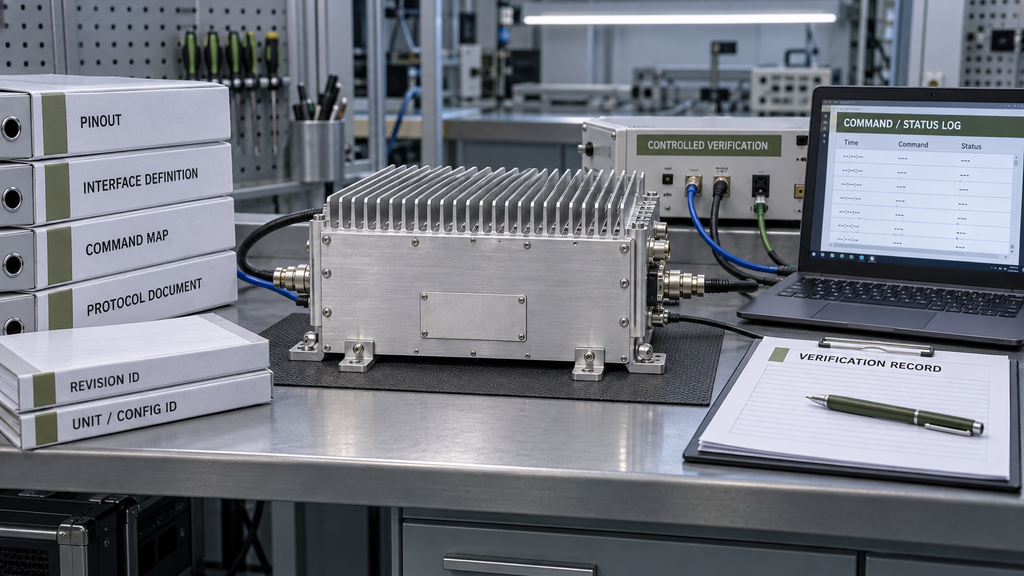
Depending on project scope, useful evidence can include:
| Evidence | What It Establishes | Important Boundary |
|---|---|---|
| Connector / pinout definition | Physical access to required interface functions | Must match the applicable hardware revision |
| Interface definition sheet | Direction, state, electrical/logical meaning, default behavior | Must identify the interface scope it describes |
| Register / command map | Digital access to readable and writable functions | Must match the applicable protocol / firmware revision |
| Protocol document | Communication structure and supported interface fields | Protocol name alone is insufficient |
| Version / revision identity | Which documentation applies to which implementation | Prevents old interface definitions from being reused blindly |
| Controlled interface verification record | Shows that selected interface functions were exercised under a defined test condition | Supports only the functions and conditions actually verified |
| Unit or configuration identity where required | Connects evidence to the relevant hardware scope | One sample does not automatically represent every delivered unit |
Documentation and functional evidence serve different purposes.
A pinout can define where an Alarm signal exists.
A controlled test can show that the observed interface state changed under the test condition.
Neither one alone defines the complete system response after that alarm.
Likewise, a command map can document that a Reset command exists without proving that every protection condition should be recovered through that command.
The evidence should therefore stay aligned with the claim:
interface evidence supports interface definition; system-behavior evidence supports system-behavior conclusions.
If the project requires S/N-specific, revision-specific, or shipment-specific verification, that scope should be stated explicitly rather than inferred from generic interface documentation.
7. What Buyers Should Freeze Before RFQ and Integration
A request for an “RF PA with control interface” is too broad for reliable integration.
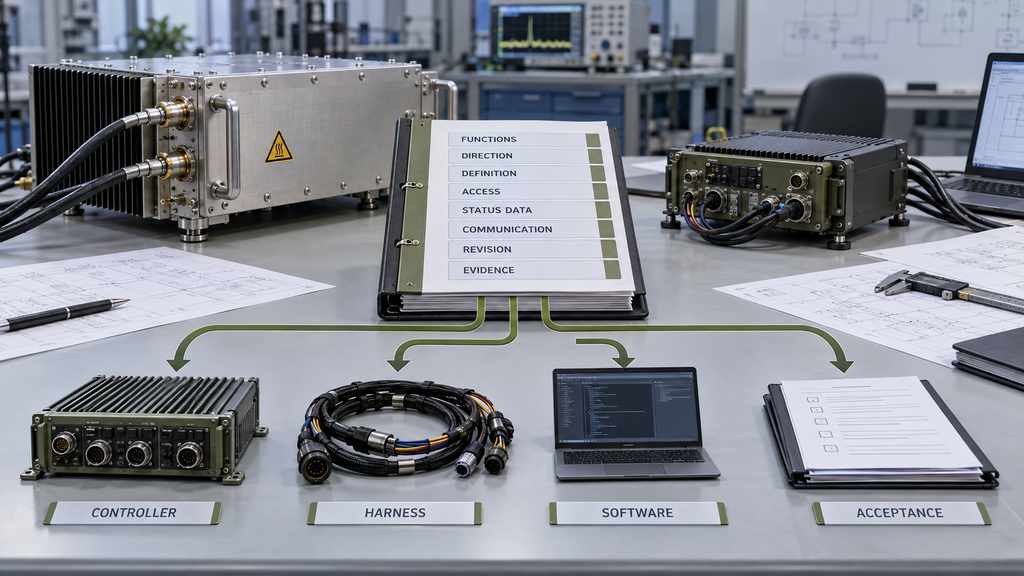
Before RFQ approval, freeze the interface requirements that materially affect the controller, wiring, software, and acceptance plan.
| RFQ Item | What Should Be Frozen | Evidence to Request |
|---|---|---|
| Required interface functions | Enable, Alarm, Status, Reset, Power Control, Communication as required by the system | Interface function list |
| Direction | Controller → PA, PA → Controller, or bidirectional | Interface definition |
| Electrical / logical definition | Interface type, active state, default state, value meaning | Pinout / interface specification |
| Access location | Pin, connector, register, address, or command | Connector / register / command map |
| Status data | Required fields, states, units, scaling, exposed identity fields where applicable | Status-field definition |
| Communication | Method, address scheme, command/register scope | Protocol documentation |
| Version control | Hardware, interface, protocol, or firmware revision as applicable | Revision-controlled documentation |
| Evidence scope | Documentation, controlled functional verification, S/N or configuration scope where required | Defined acceptance package |
The buyer does not need to design the supplier’s internal control architecture.
The RFQ does need to make clear what the final system must be able to access and what evidence is required to integrate it.
This distinction prevents late-stage questions such as:
- Which pin actually enables the module?
- Is the Alarm active high or active low?
- Is the status field readable per module?
- Which protocol version does this command map describe?
- Is Reset a hardware signal or a software command?
- Does the documented interface apply to the hardware revision being delivered?
Those are interface-definition questions and should be resolved before the final controller design depends on them.
Once the interface contract is frozen, downstream reviews can handle the deeper behavior:
- enable permission;
- control sequence;
- command timing;
- alarm response;
- status mapping;
- protection response;
- recovery logic.
FAQ
Is an RF PA pinout enough for integration approval?
No. A pinout identifies physical connections, but integration may also require signal direction, active state, logical meaning, default state, register or command mapping, revision information, and interface evidence.
What is the difference between an RF PA control interface and control logic?
The control interface defines what signals, commands, fields, and access points exist and what they mean. Control logic defines what the complete system does with those interfaces during startup, operation, faults, protection, and recovery.
When should Enable, Status, or Protection use a specialist review?
Use a specialist review when the question moves beyond interface definition into system behavior—for example, when RF output should be permitted, how telemetry becomes controller state, how protection responds to a trigger, or how recovery should occur.
What interface evidence should buyers request before RFQ?
Request the evidence appropriate to the project, such as a connector/pinout definition, interface specification, register or command map, protocol and revision information, and controlled functional verification where required.
Conclusion
RF PA control-interface approval should begin with a defined interface contract, not with the assumption that a connector, pin list, or protocol name is enough for integration.
Before the controller design is finalized, document what interface functions exist, where they are accessed, which direction information flows, what each state or value means, what the default state is, and which hardware, protocol, or firmware revision the definition represents.
Then separate that interface evidence from system behavior.
The interface contract defines what the module exposes.
Control logic defines what the system does with it.
Enable logic determines when RF output may be permitted.
Status mapping determines how feedback becomes controller state.
Protection logic determines how abnormal conditions are handled and recovered.
Keeping these layers separate makes the RFQ, integration plan, and acceptance evidence easier to review without asking one page or one document to prove more than it actually defines.
For an RFQ or engineering review of Custom RF Power Amplifier Modules, provide the interface functions required by your controller, preferred electrical or communication method, connector or register requirements, module/channel addressing needs, required feedback fields, revision-control requirements, and the interface evidence scope needed for acceptance.
Those inputs provide a clearer basis for determining whether a candidate RF PA interface can be reviewed for the intended system without assuming that a generic communication label or an available control pin automatically proves integration compatibility.